


Updated: September 2026
Many companies allow occasional personal use of office machines and equipment, in fact, 80% of office workers tend to run personal projects on office equipment. While, this practice is generous, personal projects increase your print costs substantially while not giving the company any ROI.
Print management software is built to give businesses insight into their print activity, reduce waste, and improve security. Solutions like PaperCut, uniFLOW, and cloud faxing provide organizations with advance tools needed to monitor activity, control costs, and automate workflows to improving efficiency.
In this guide, we'll explain how these technologies work, their benefits, and how they can help optimize your print environment.
What Is Print Management Software?
Businesses use print management solutions to:
- Reduce printing costs
- Improve document security
- Track user activity
- Support sustainability initiatives
- Enable mobile and cloud printing
- Simplify print management across multiple locations
Whether your organization operates from a single office or multiple sites, print management software can provide greater visibility and control over your print ecosystem.
Is There a Way to Control Your Print and Copy Output?
There are many ways to optimize your print environment to track analytics and reduce waste. You don’t want to create a blanket policy against personal printing, because that can make employees go directly against a policy or retaliate. It could also significantly reduce morale.
Instead, copiers now have various features that can address print controls, and these can be part of a larger managed print solution.
What is Papercut, and How Does it Work?
PaperCut is one of the most widely used print management solutions available today. It connects directly with multifunction printers (MFPs) and network printers to help organizations monitor, manage, secure, and control printing activity.
PaperCut can help to track users, print jobs, and help reduce the use of paper. Not only will this create a cost-saving solution, but it will also increase your office's sustainability. PaperCut can control various types of printing – like black and white over color – and will track data on who may be printing more than is technically allowed.
PaperCut is one of the best solutions for addressing print and copy needs. It’s a flexible software solution that uses security permissions, print settings, and other MFP features to optimize your print environment and help manage your print budget.
Who is Best Fit for PaperCut
PaperCut is an excellent choice for organizations that:
-
Need vendor-neutral print management
-
Have mixed printer fleets
-
Want detailed reporting and analytics
-
Need flexible cloud and on-premises deployment options
-
Want to reduce print-related expenses
What is uniFLOW and How Does it Work?
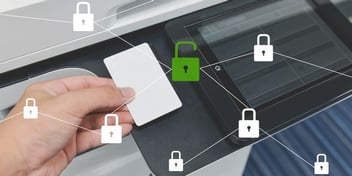
uniFLOW is a document management tool by Canon that requires active user intervention to retrieve copies. What this means is you must go into the interface to approve what documents need to be printing making it a secure document printing enviroment. This reduces waste created by abandoned copies left in printer trays. It also mitigates the risk of documents falling into unauthorized hands. This tool offers benefits such as:
- Enhanced data and print security
- Access control features
- Easy document retrieval and organization
Who is a Best Fit for uniFLOW?
uniFLOW is particularly well-suited for organizations with:
-
Canon device fleets
-
Strict compliance requirements
-
Large print environments
-
Complex document workflows
-
Strong document security needs
What is eGoldFax and How Does it Work?
Cloud faxing allows organizations to securely send, receive, and manage faxes digitally without maintaining physical fax hardware.
If you're in an industry that deals with sensitive documents, like healthcare, law, education, government, or finance, cloud faxing may be a great solution to protect data while conducting business.
Cloud faxing allows users to securely send faxes and manage contacts within one platform. eGoldFax is a popular choice for cloud faxing due to its easy-to-use interface and security.
How Print Management Reduces Costs
A well-managed print environment can provide meaningful cost savings by reducing:
- Unnecessary print jobs
- Excessive color printing
- Paper waste
- Toner consumption
- Device downtime
- Administrative overhead
The combination of visibility, automation, and user accountability allows organizations to make smarter printing decisions while optimizing resources.
If you're not quite ready to make the jump to document management, a free print audit can also give you insight into print costs.
Get the Most Out of Your Print Environment
You might not think too much about your printing strategy, but an inefficient device or tech stack could be draining your budget right under your nose. That's why it's crucial to find a print provider with experience in your industry and business size.
If you're ready to take control of your print costs while optimizing speed, capabilities, and data security, click the button below to speak with a print expert.